Review actionable findings
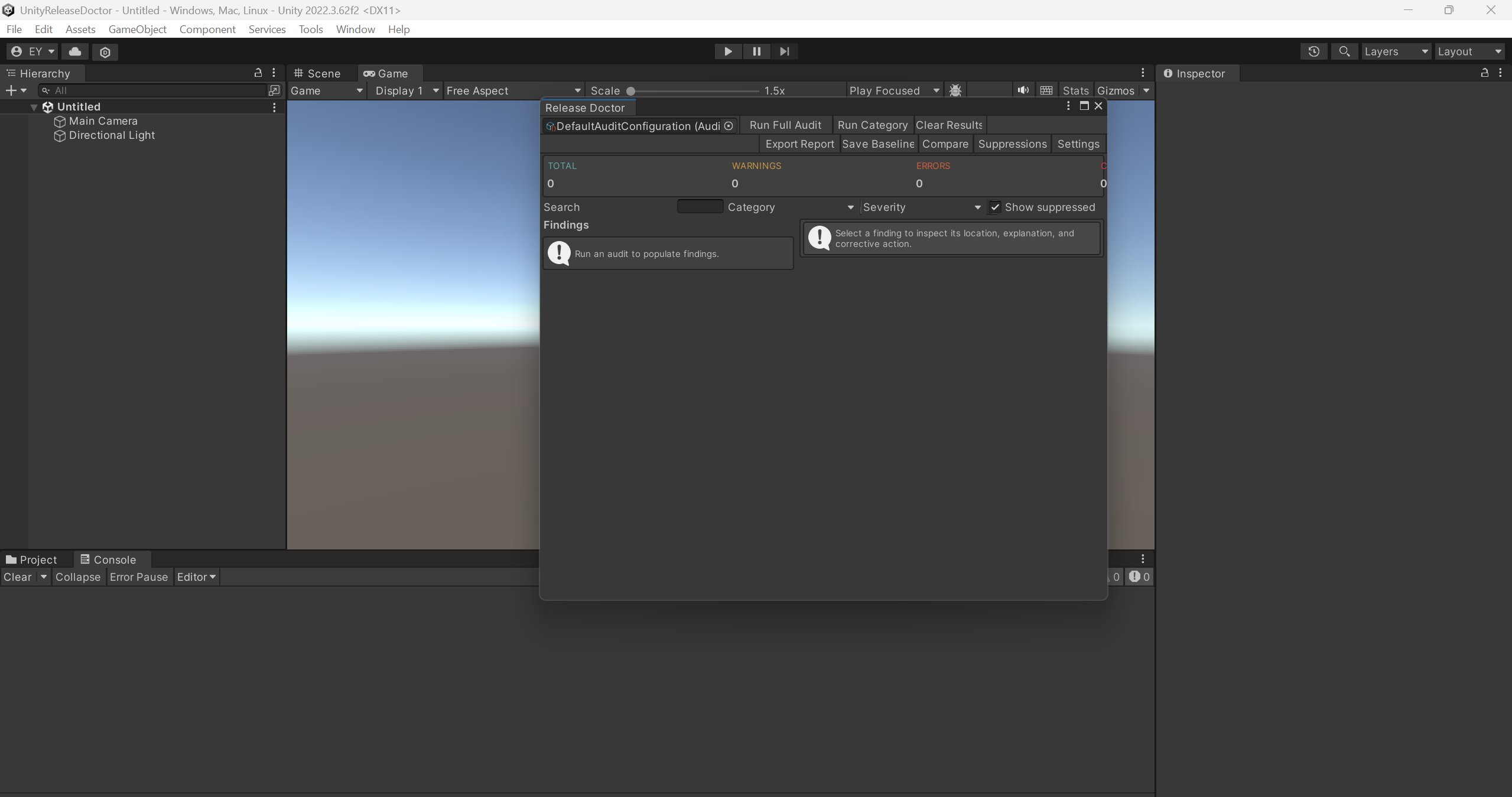
Configurable audit rules, severity filters, search, and documented suppressions.
Project audits & CI
Release Doctor
Run configurable project checks, review findings, and export reports for editor and CI workflows.
Current price, license, version, and checkout details are shown on the marketplace.
Where it fits
Run a consistent set of checks before a release candidate. Release Doctor audits common project issues, organizes findings by severity, and lets your team document intentional exceptions with suppressions.
Use the editor interface or documented CI entry point. Export reports for review, add custom rules, and compare source-asset size baselines when investigating project changes.
Configurable audit rules, severity filters, search, and documented suppressions.
Editor controls, batch-mode CI, explicit exit codes, and custom rule support.
HTML, JSON, text, and JUnit export, plus project asset-size baseline comparisons.
Check your project
Current size baselines measure files under Assets, not platform player-build size. An audit does not guarantee a bug-free release, certification, or marketplace approval.
Start with a small example
Use the package documentation alongside these steps. Confirm the version you have installed before following a platform-specific workflow.
Read the quick-start guideIntegration example
Illustrative API excerpt. Assign your component references and use the full example in the package documentation.
// CI entry point documented in the package:
Jackmirza.ReleaseDoctor.UnityReleaseDoctorCI.RunAudit

// Exit codes: 0 = no blocking findings,
// 1 = blocking findings, 2 = execution/configuration failure.
Before you buy
No. The audit reports findings for you to inspect. Review and apply any project changes through your own workflow.
No. The current baseline sums files under Assets. It is a source-project size signal, not a platform build-size measurement.
No. Marketplace review and project testing cover areas beyond this tool’s checks.
Release Doctor
Review the package details and license on the Unity Asset Store, or ask a setup question first.